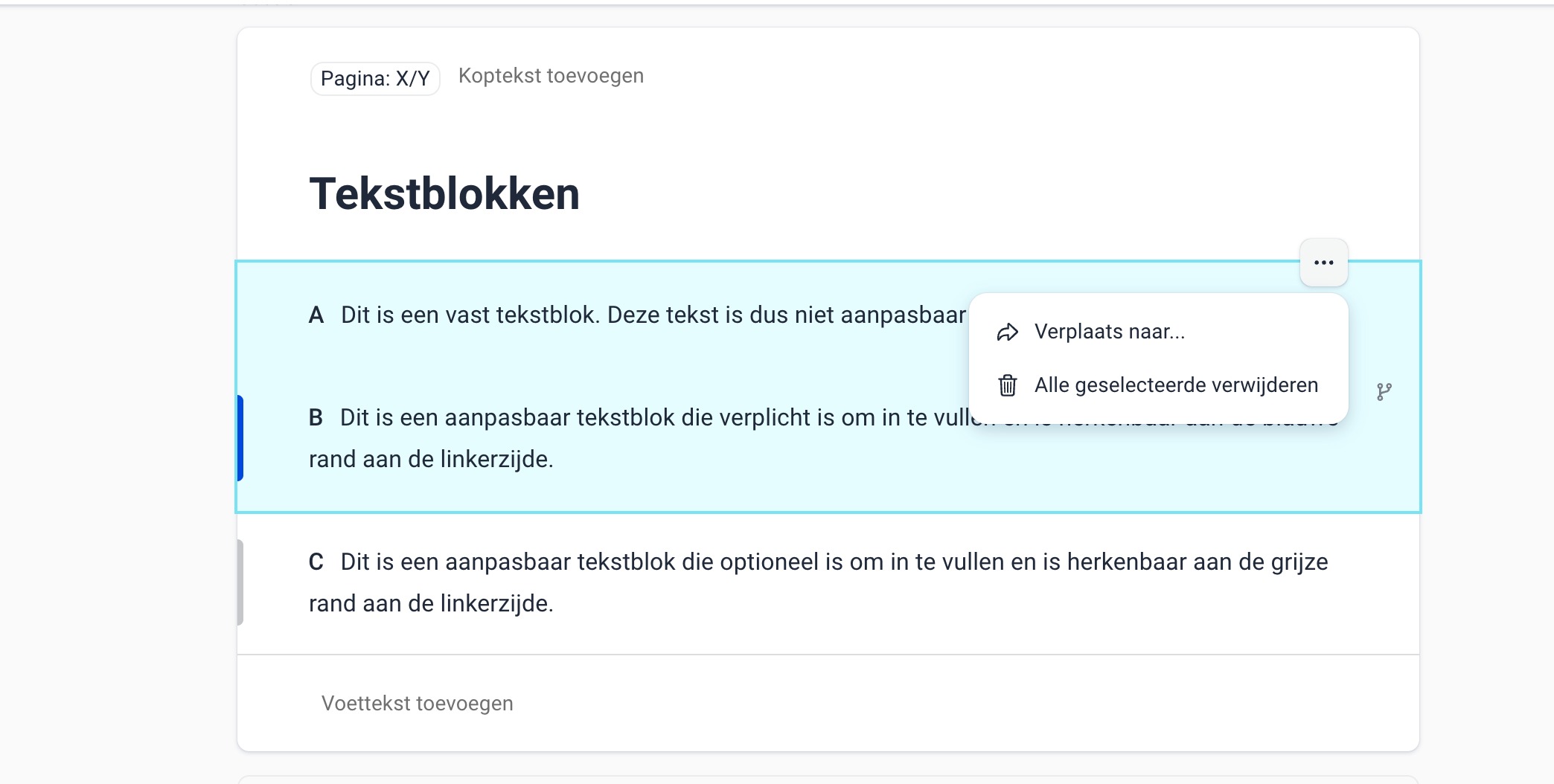
You can remove or move a text block by clicking the three dots (⋮) to the right of the block and selecting Delete if you want to remove the block, or Move to if you want to move it to another section.
Do you want to manage multiple blocks at once? Select them first:
- Mac: hold ⌘ and click the blocks.
- Windows: hold Ctrl and click the blocks.
The selected blocks are highlighted in blue. Then click (⋮) again and choose Delete all selected or Move to.
Was dit artikel nuttig?
Dat is fantastisch!
Hartelijk dank voor uw beoordeling
Sorry dat we u niet konden helpen
Hartelijk dank voor uw beoordeling
Feedback verzonden
We stellen uw moeite op prijs en zullen proberen het artikel te verbeteren