In Docfield, templates can contain fixed and editable blocks. When a document is created based on a template, only the editable blocks can be changed directly. Fixed blocks are meant to protect content that should not be changed without good reason. For example, legal texts, standard terms and conditions, or other important parts that must remain the same in every document.
In this guide
When do you use override?
Sometimes the content of a fixed block still needs to be changed in one specific document. In that case, first check whether it is really an exception. Is the change not an exception and does it happen more often? Then it is usually better to update the template. For example, you can:
This prevents fixed blocks from being overridden unnecessarily.
Override a fixed block
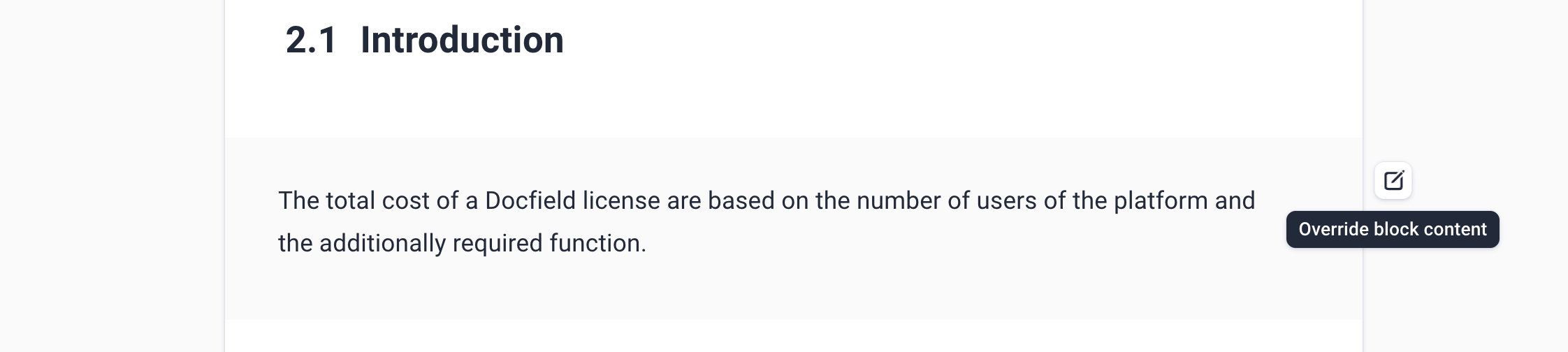
If the change is an exception, you can override the content of a fixed block. You can do this using the Override option for the relevant block. This is only possible if you also have write permission on the related template. After overriding the block, you can change the content for this specific document. The original block in the template stays the same.
Edit an overridden block
Once a block has been overridden, the adjusted content becomes part of the document.
Users with at least edit permissions on the document can then change the overridden content.
Edit content
Do you want to change the content of the block?
- Edit the text in the overridden block.
- Click Save to save the change.
After saving, the block remains fixed for users who only have edit permissions on the document.
⚠️ As soon as you click override, the block becomes editable. Even if you do not save the content afterwards, all users with edit permissions on the document can make changes to this block.
Reset content to the template
Do you want to reset the overridden content to the original content from the template?
- Click Reset content at the bottom right.
- The adjusted text is removed.
- The block then uses the content from the template again.
Permissions for overriding
Not every user can override a fixed block. To do this, the user needs at least edit permissions on the template and edit permissions on the document. The table below shows which actions a user can perform.
| Action | Required permissions |
|---|---|
| Override a fixed block | Edit permissions on the template and edit permissions on the document |
| Edit the overridden content | Edit permissions on the document |
| Remove the override Reset the content to the original content from the template | Edit permissions on the template and edit permissions on the document |
Was dit artikel nuttig?
Dat is fantastisch!
Hartelijk dank voor uw beoordeling
Sorry dat we u niet konden helpen
Hartelijk dank voor uw beoordeling
Feedback verzonden
We stellen uw moeite op prijs en zullen proberen het artikel te verbeteren