With Suggestion Mode, you can propose changes in a document or template without directly modifying the original text. Other users can then accept or reject these proposals. This makes it easier to collaborate on documents, provide feedback, and discuss changes.
Would you like to use this functionality but it is not yet enabled in your environment? Then contact support@docfield.com
In this guide
Enable Suggestion Mode
When Suggestion Mode is enabled, all text changes are automatically saved as suggestions. The original text remains unchanged until a suggestion is approved. You can use Suggestion Mode when:
- You have Comment permissions or higher.
- You are working in a document or template.
- You only want to edit text. Suggestions do not work for formatting changes or for adding or deleting blocks.
Enable Suggestion Mode
- Open the document.
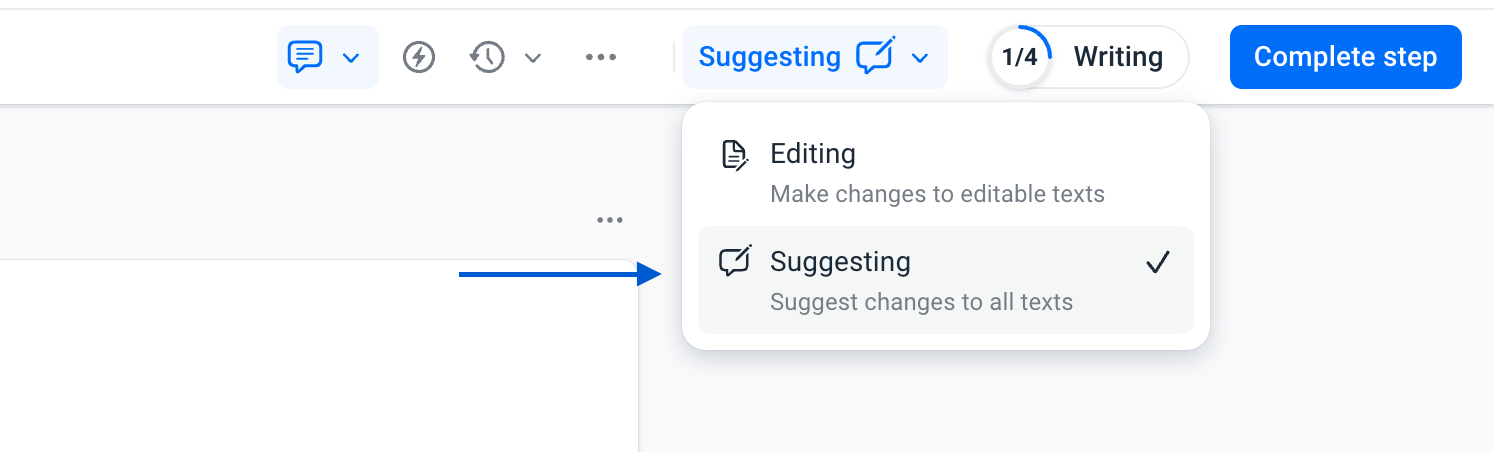
- Check whether the editor is set to Edit mode. If it is already set to Suggestions, you do not need to do anything.
- Click the arrow next to Edit in the editor toolbar.
- Select Suggestions.
From this point on, all text changes will be saved as suggestions. If you want to continue editing the template normally or fill in a document without creating suggestions, switch the mode back to Edit. Any changes you make after that will be applied directly instead of being saved as suggestions.
Make a suggestion
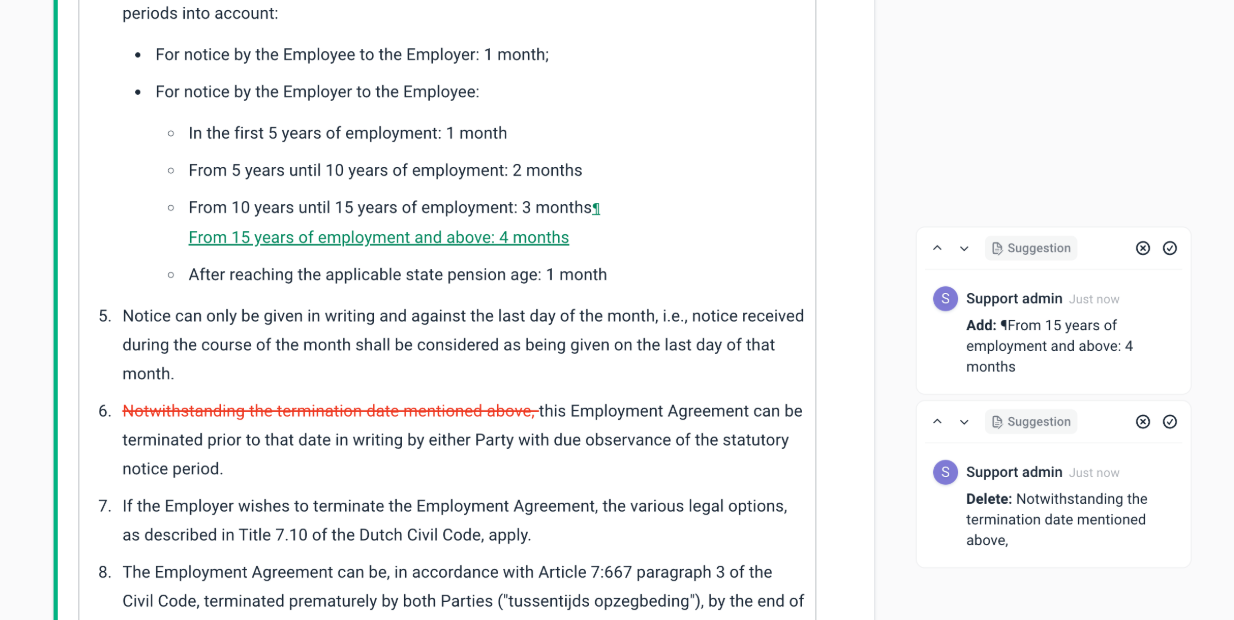
When Suggestion Mode is active, all changes are automatically recorded as suggestions. For example, you can add text, delete text, or edit existing sentences.
- Added text is displayed in green
- Deleted text is displayed in red.
The suggestion is also automatically placed in the sidebar, together with any comments.
View suggestions
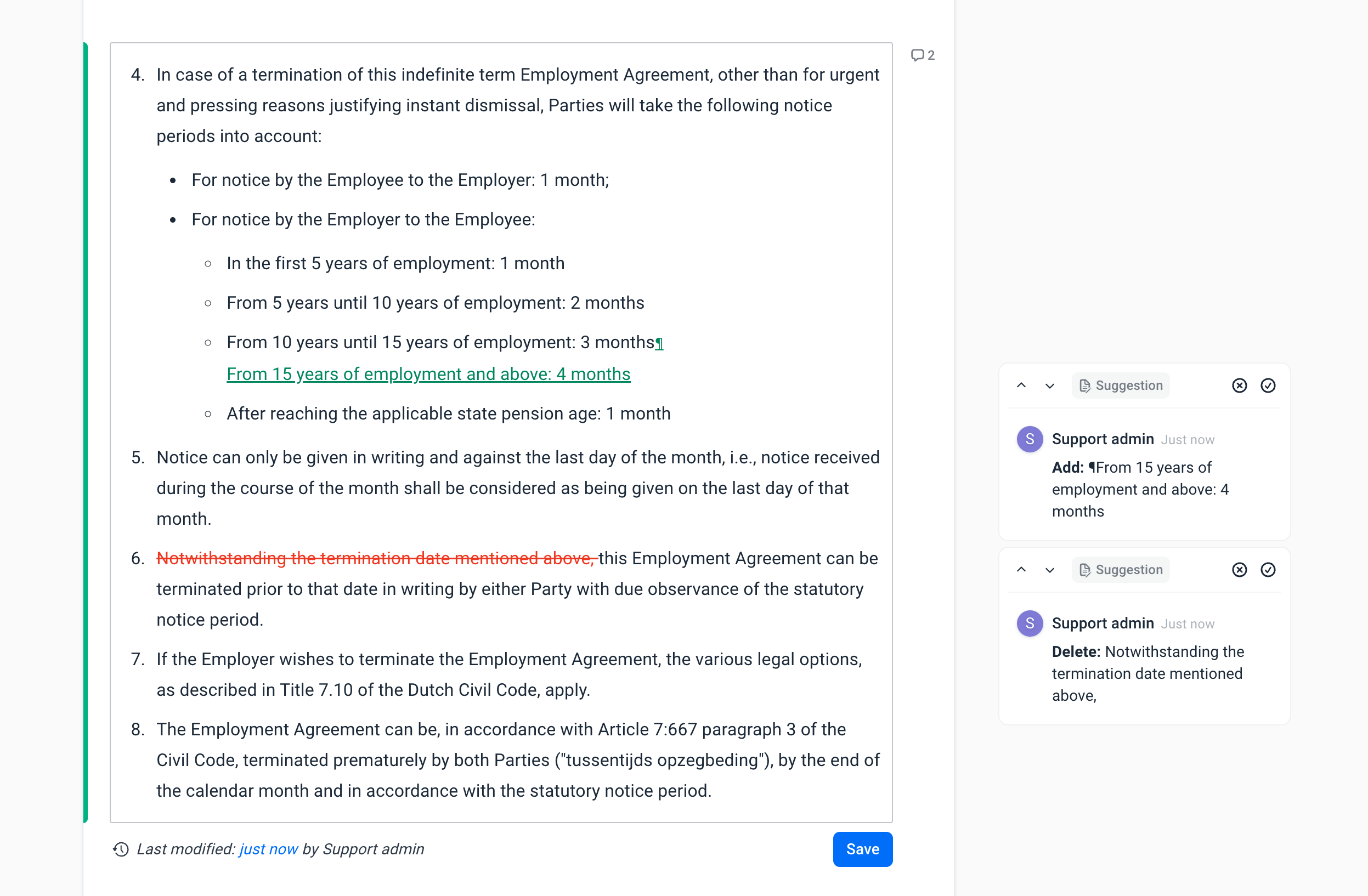
Suggestions are visible in two places. In the document/template text, you can immediately see what has been added or removed in the text. In the sidebar (next to the comments), you can see all open suggestions. You can click a suggestion to go to the text or click the text to open the suggestion.
Accept or reject suggestions
Only users with edit rights or higher can accept suggestions. Suggestions on fixed blocks can only be accepted by users that have the right to override block content.
You can or reject a suggestion via the sidebar.
- Accept suggestion: open the suggestion in the sidebar and click Accept. The change will then be applied directly to the document. Once a suggestion has been accepted, the change becomes part of the document and the suggestion remains visible under Resolved comments.
- Reject suggestion: open the suggestion and click Reject. The proposed change will then be removed and the original text will remain unchanged in the document.
```
Was dit artikel nuttig?
Dat is fantastisch!
Hartelijk dank voor uw beoordeling
Sorry dat we u niet konden helpen
Hartelijk dank voor uw beoordeling
Feedback verzonden
We stellen uw moeite op prijs en zullen proberen het artikel te verbeteren