Within Docfield, you can choose the language in which the application is displayed. This language setting determines the language of your account’s user interface, including buttons, menus, and system messages.
Docfield currently supports the following languages:
- Dutch
- English
- German
The selected language setting applies only to your personal account and does not affect other users.
In this manual
Difference between account and document language
Change Account language
Follow the steps below to change your account language:
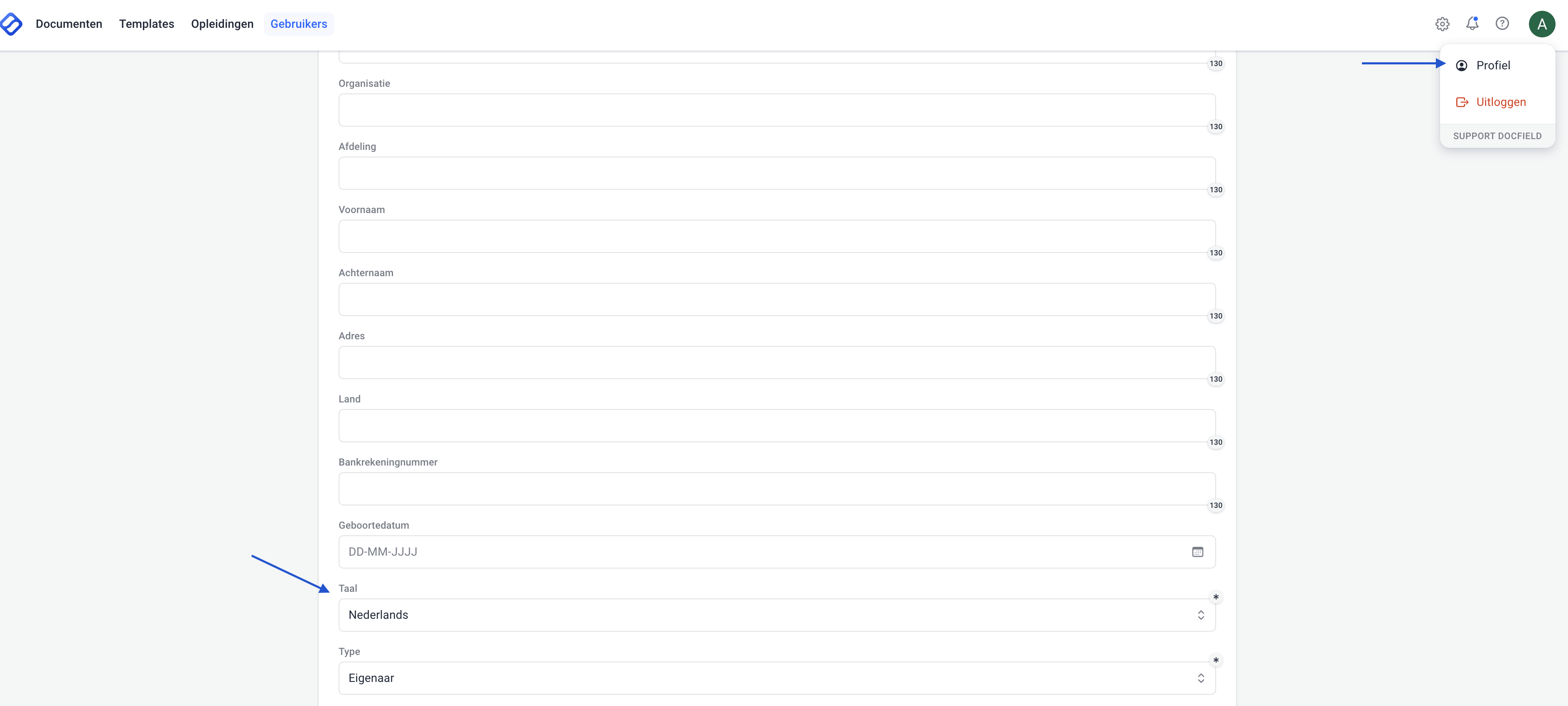
- Click your profile in the top-right corner.
- Scroll down in the profile menu.
- Select the desired language under Language.
- Click Save to apply the changes.
After saving, the new language will be applied to your account immediately.
Difference between account and document language
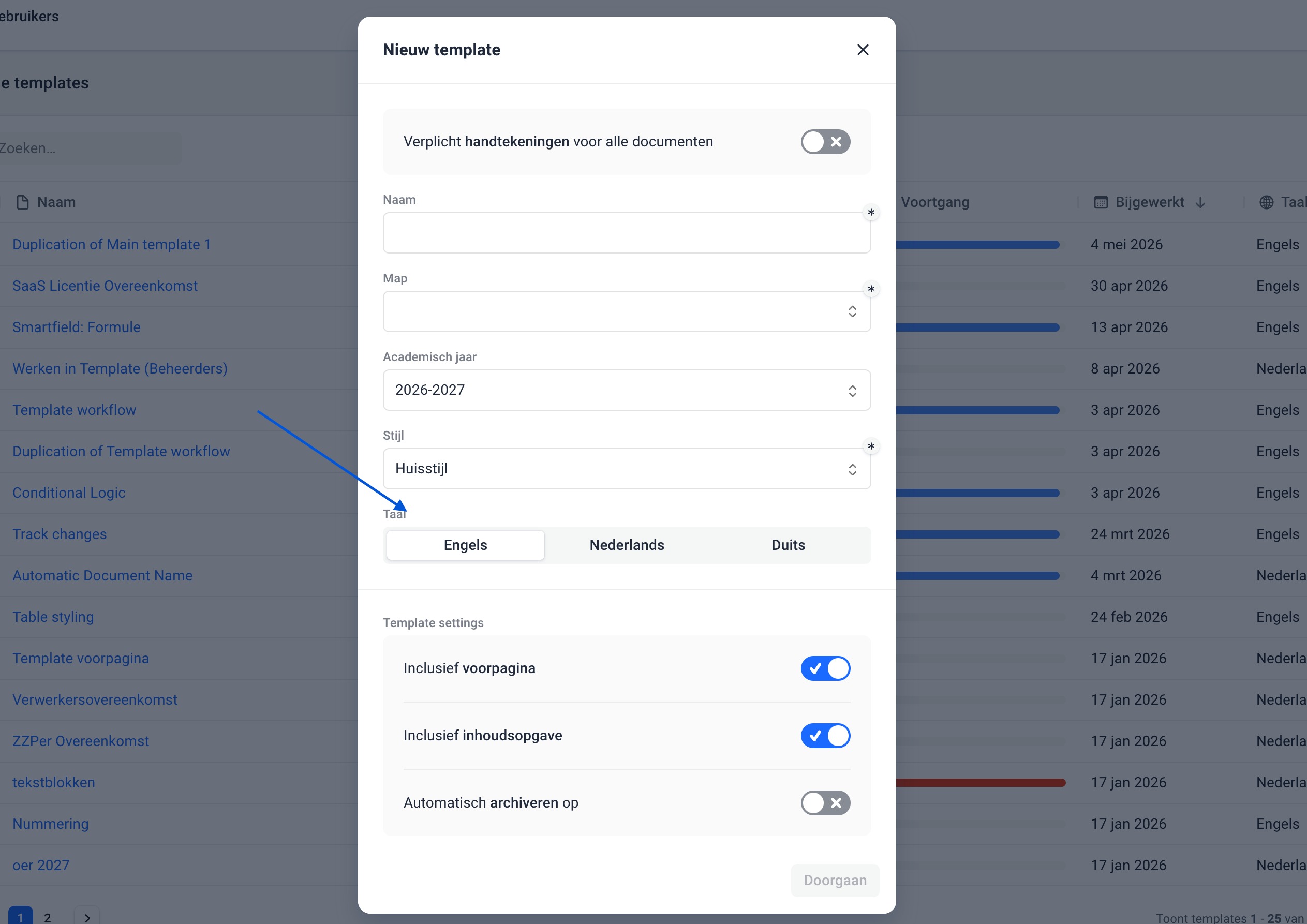
Your account language is separate from the language of templates and documents. The language of templates and documents is managed separately in the settings of the relevant template. This setting determines the language of automatically generated elements within documents, such as the table of contents.
Document language
Was dit artikel nuttig?
Dat is fantastisch!
Hartelijk dank voor uw beoordeling
Sorry dat we u niet konden helpen
Hartelijk dank voor uw beoordeling
Feedback verzonden
We stellen uw moeite op prijs en zullen proberen het artikel te verbeteren