In Docfield, you can archive templates and documents to keep your workspace organized. Archived items disappear from the default view, but remain stored and can be restored later.
In this manual
Automatically Archive a Template
Archiving and Restoring
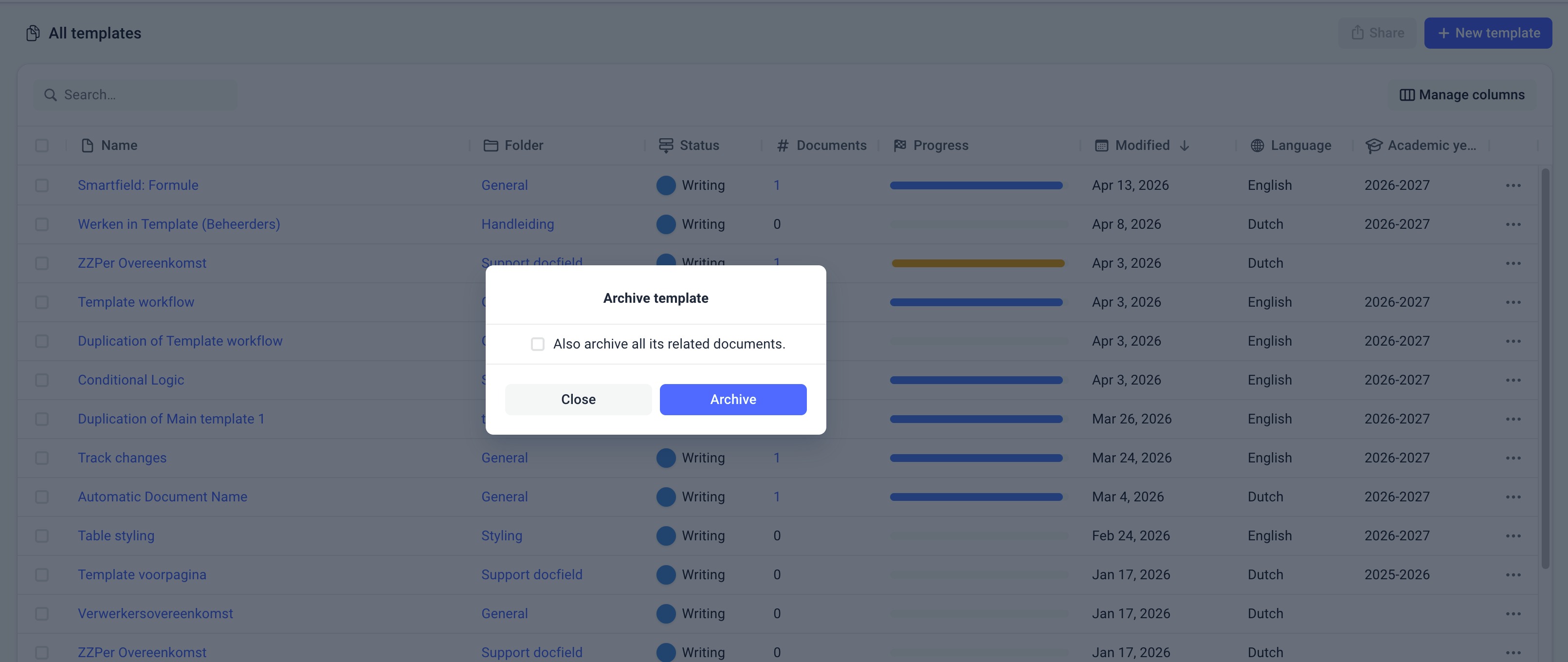
You can archive a template or document in two ways:
Via the template or document itself (using the three dots (...) in the top-right corner)
Via the dashboard
Using the same option, you can also restore an archived item.
When archiving a template, you can choose to archive all linked documents as well. If you select this option, all associated documents will be archived automatically.
If you want to edit an archived item, you must restore it first.
Automatically Archive a Template
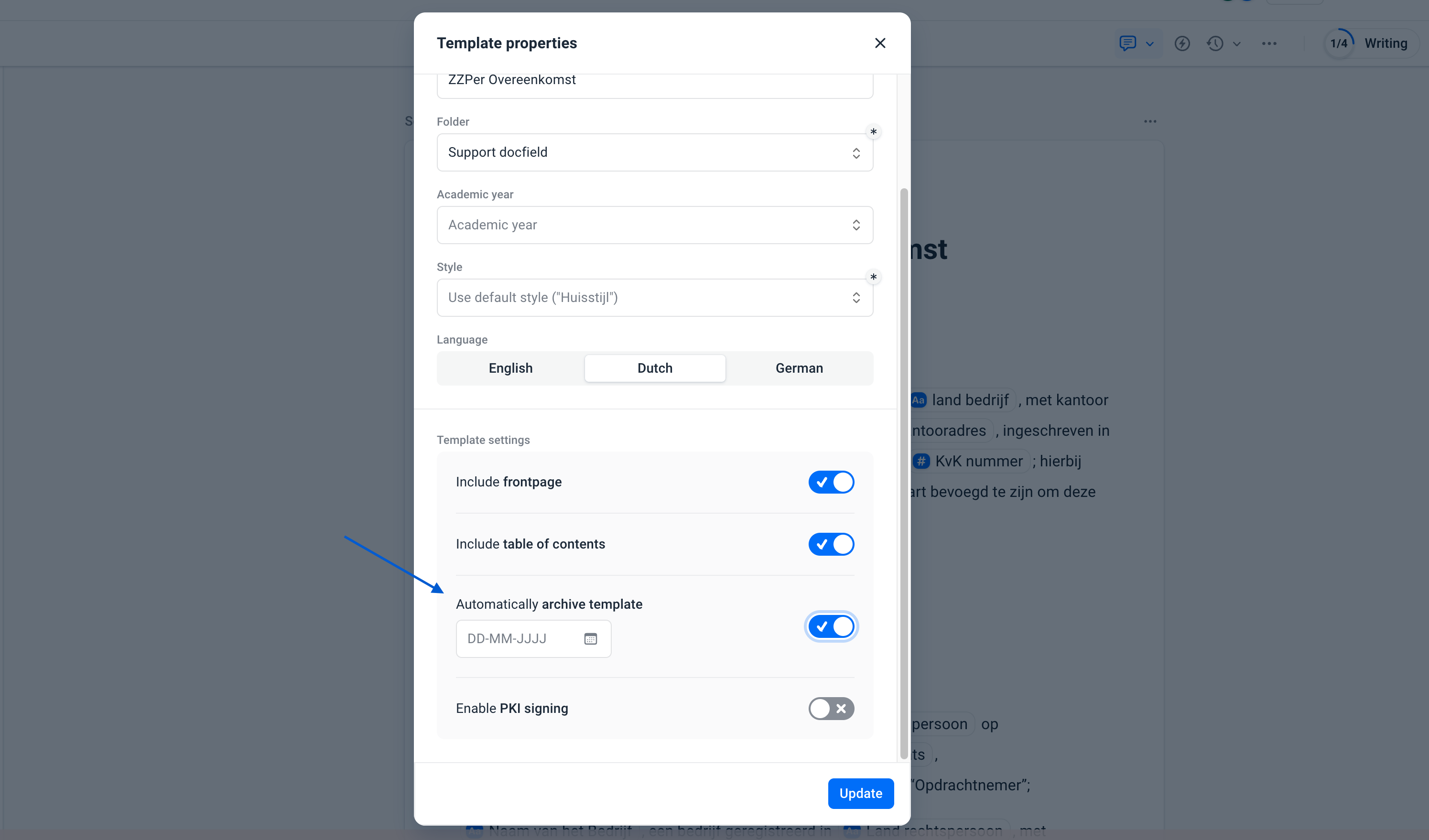
You can set a template to be archived automatically on a specific date. Configure this in the template settings:
Go to the template settings
Enable automatic archiving
Choose a date
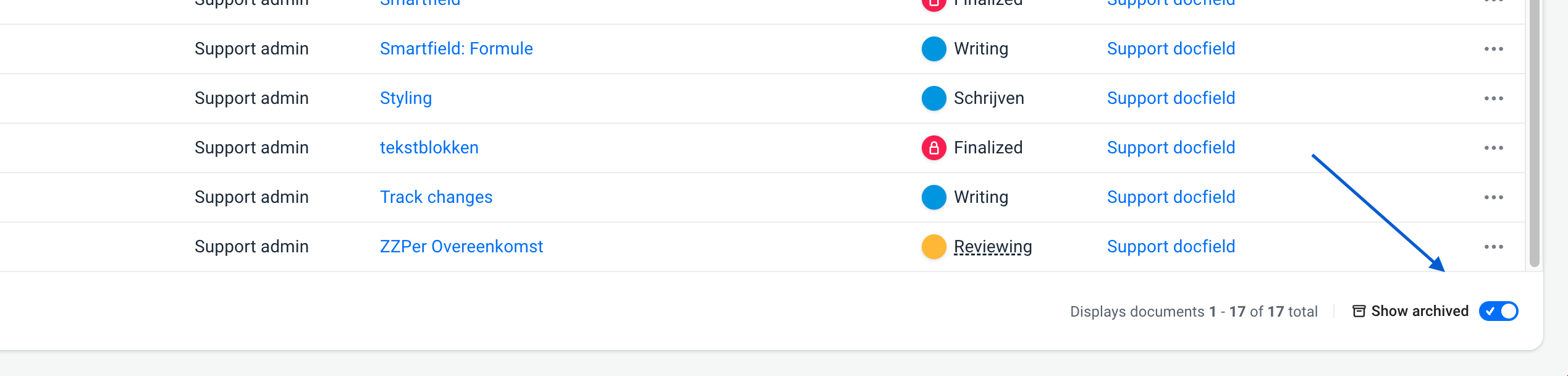
View Archived Items
Important to Know
Archiving a template is not the same as deleting it. Deletion is permanent and cannot be undone, while archiving is always reversible. Archived templates and documents cannot be edited.
Was dit artikel nuttig?
Dat is fantastisch!
Hartelijk dank voor uw beoordeling
Sorry dat we u niet konden helpen
Hartelijk dank voor uw beoordeling
Feedback verzonden
We stellen uw moeite op prijs en zullen proberen het artikel te verbeteren