With automatic document numbers and naming, you ensure that all your documents within one environment are always named uniquely and consistently. Every template and every document automatically receives a unique number. In addition, you can configure per template how the document name is built, for example based on the document number, client name, date, or other Smart fields. This helps prevent duplicate names, manual errors, and ambiguity, keeping your document management clear and scalable.
Would you like to use this functionality, but it is not yet enabled in your environment? Then contact support@docfield.com
In this guide
View document name pattern for document writers
Automatic update of the document name
Set automatic document name
As a Template Administrator, you can configure in a template how the document name is automatically built. All documents created from this template will then automatically receive this name structure.
Create document
When you create a new document, you first choose a template. Depending on the settings of that template, the document name is determined in different ways.
Without automatic naming
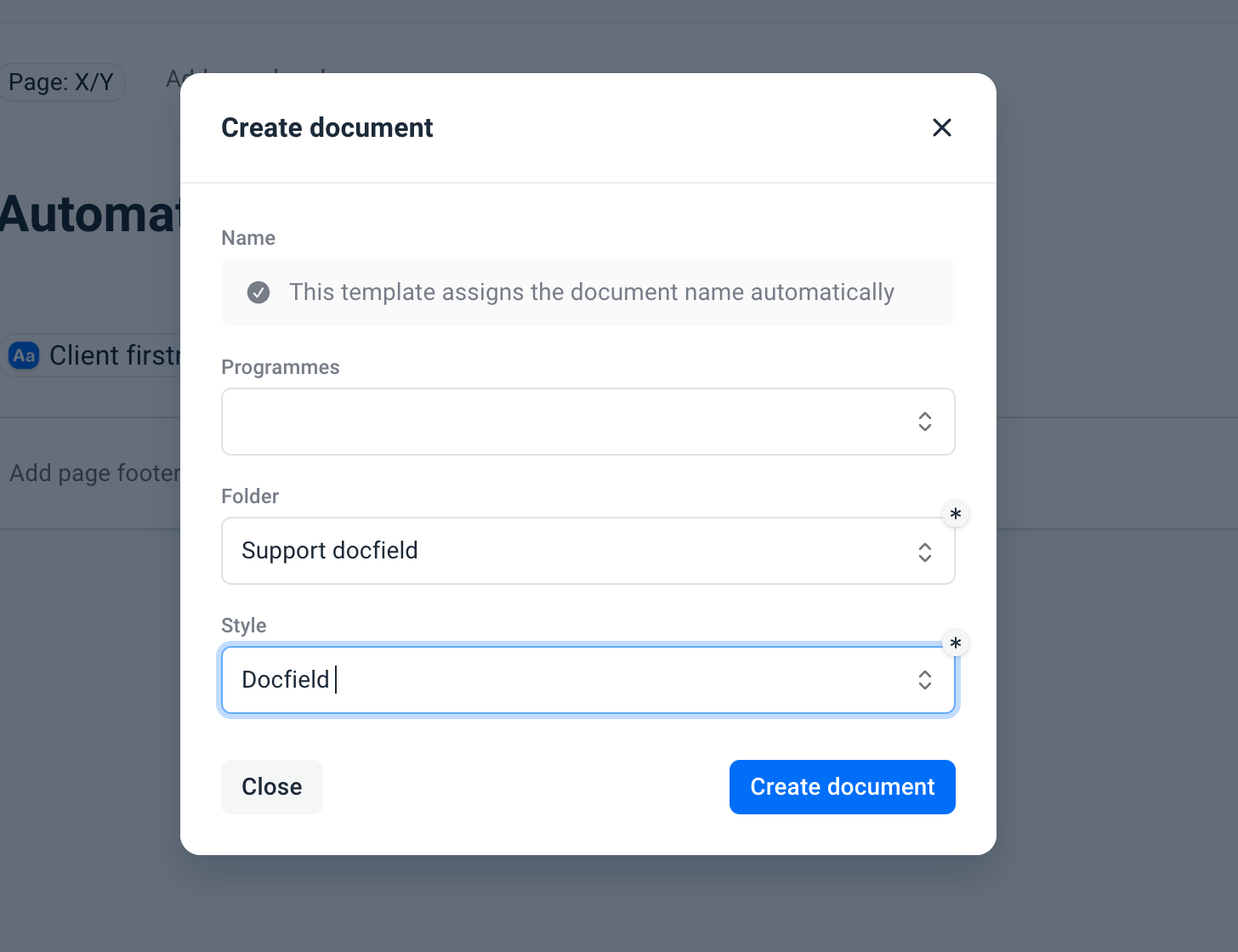
If the template does not use automatic naming, you must enter a document name yourself. This field is required before you can create the document.
With automatic naming
If the template uses automatic naming, the document name is generated automatically based on the name pattern configured in the template. In that case, the document name cannot be adjusted manually. When you create a document, you will see a notification that automatic naming is active.
View document name pattern for document writers
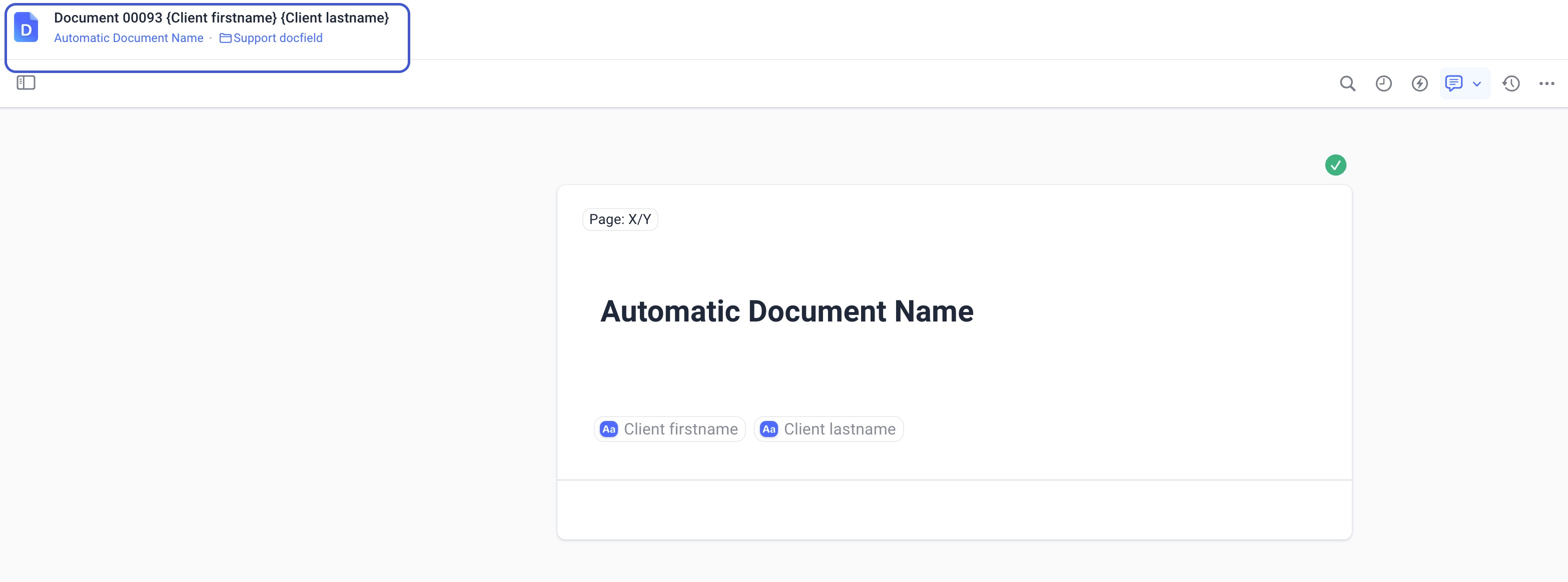
How document numbering works
Every template and every document automatically receives a unique and sequential number through the Smart field Document: ID. This number is assigned automatically as soon as a template or document is created. Numbering is maintained centrally per environment. This means that all templates and documents together use one continuous counter. The document number is displayed with leading zeros, for example: 00025
- The following items count toward document numbering: new templates, new documents, private templates, and documents
- The following items do not count toward document numbering: deleted documents do not lower the number, and existing numbers are never reused
This ensures that each number remains unique within the environment, even if documents are deleted later.
Was dit artikel nuttig?
Dat is fantastisch!
Hartelijk dank voor uw beoordeling
Sorry dat we u niet konden helpen
Hartelijk dank voor uw beoordeling
Feedback verzonden
We stellen uw moeite op prijs en zullen proberen het artikel te verbeteren