In Docfield, you can add a PDF that is used as a background for documents. You can later link this background to a style. When that style is used in a template, the PDF background is automatically applied to documents created with that template.
In this guide
Link a PDF background to a style
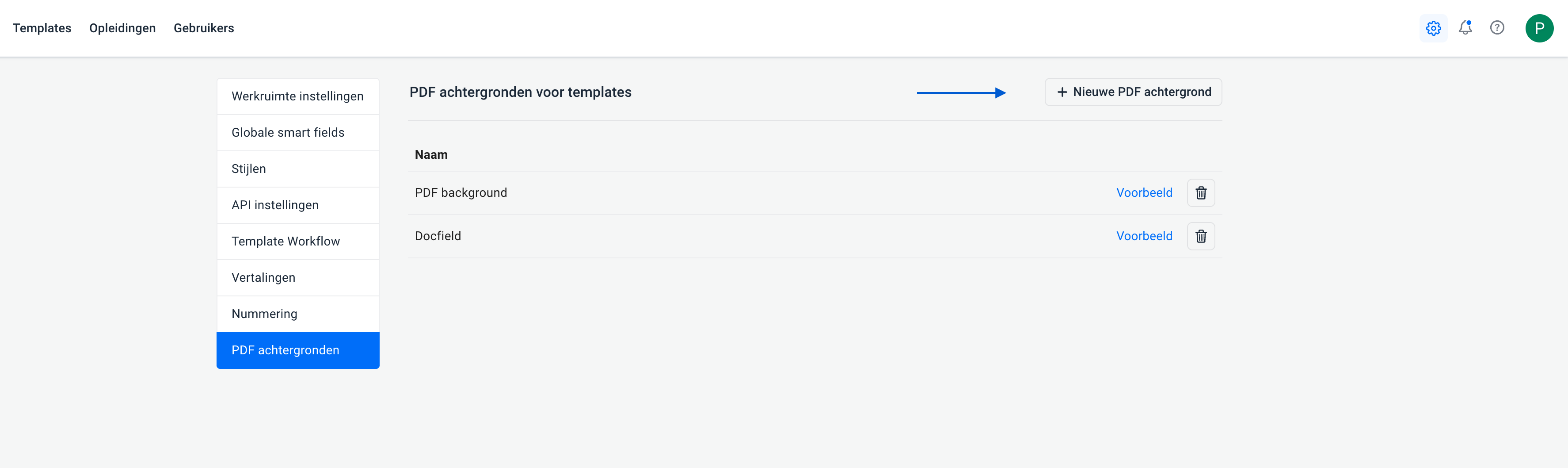
Add a PDF background
Follow the steps below to add a new PDF background:
- Click the settings icon in the top-right corner om naar de 'PDF achtergronden' te gaan.
- Click + New PDF background in the top-right corner.
- Give the PDF a name and upload the desired file.
- Click Save to add the background.
Link a PDF background to a style
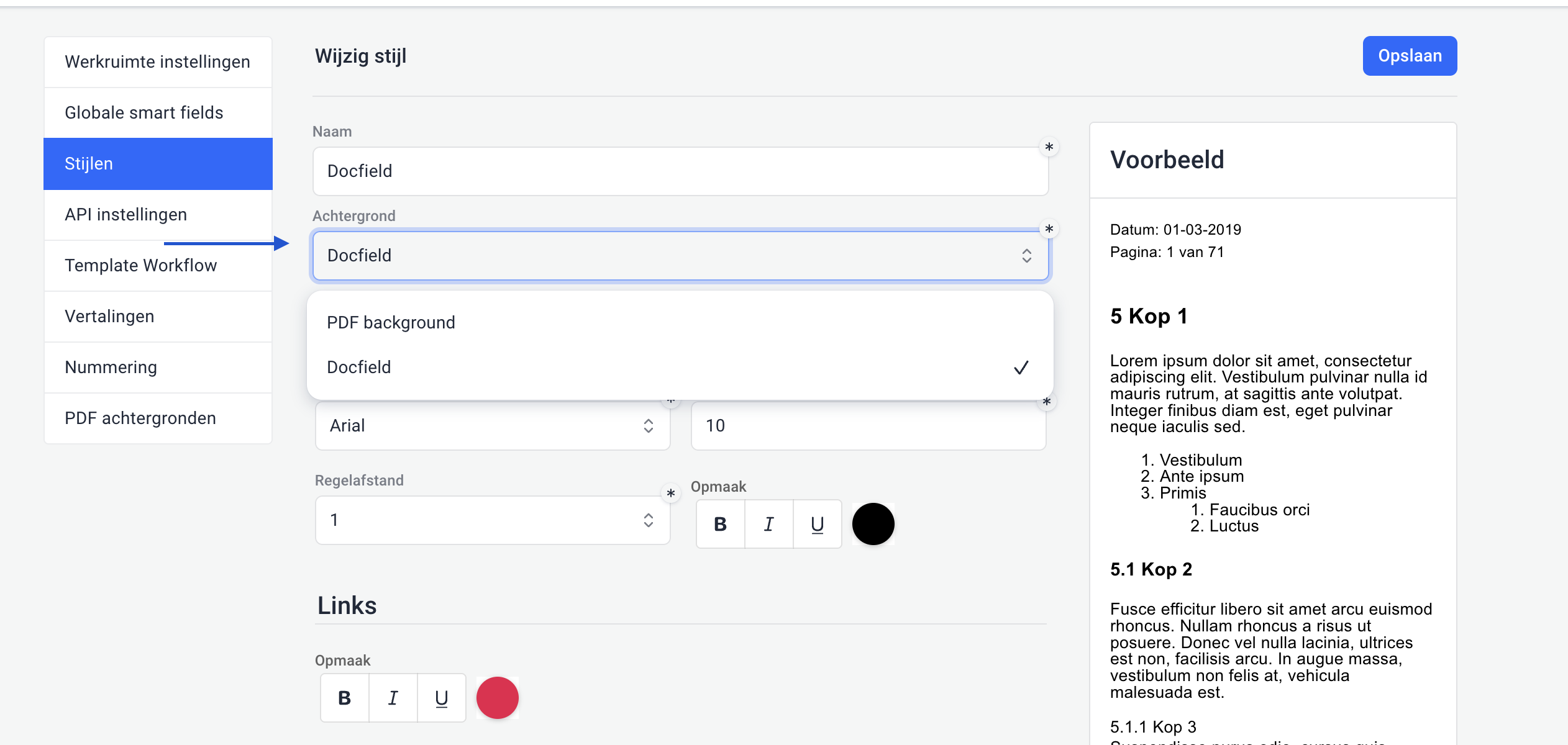
A PDF background is not linked directly to a template, but to a style. Go to the desired style and select the PDF background there. When you later use this style in a template, the linked PDF background is automatically applied to documents created with that template.
Note: the PDF background is not applied to the cover page of a document. If you want to use a separate background for the cover page, you can configure this directly in the template. Want to learn more about creating and managing styles? Read the guide about styles.
Preview
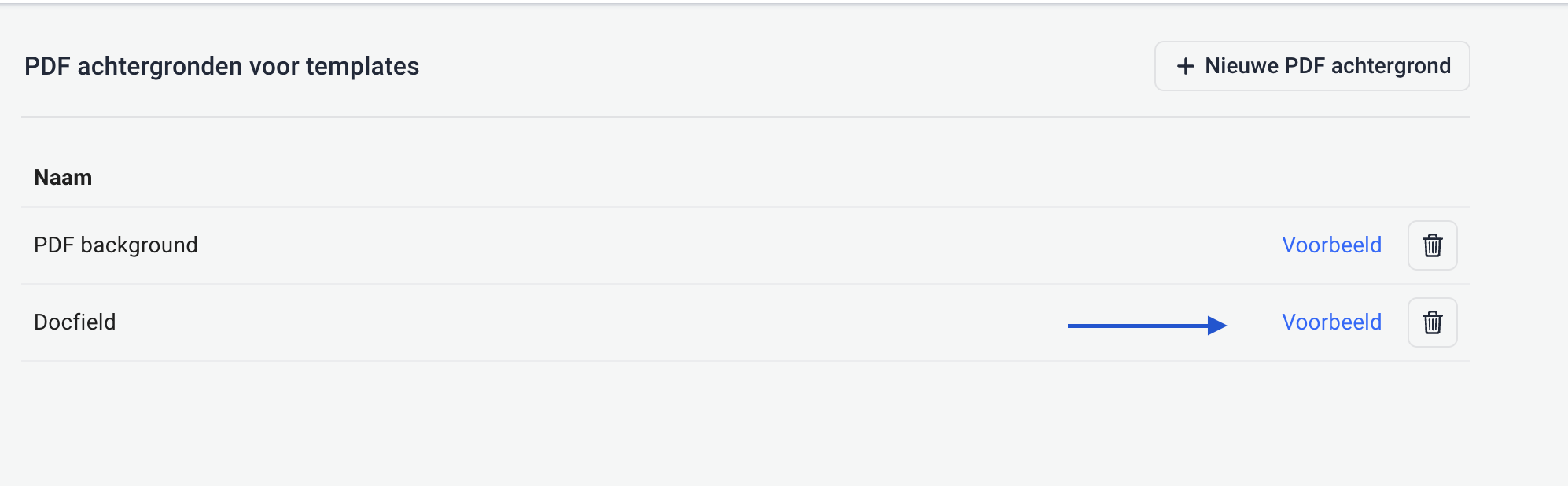
Want to check what the PDF background looks like? Click Preview. The PDF will open so you can view the background. You can also check the background after linking it to a style. Select the style in a template and then generate a PDF of the document. This allows you to see how the background will appear in the final document.
Delete a PDF background
Want to delete a PDF background? Click the trash icon next to the relevant background. If the PDF background is already being used in a style, you cannot delete it immediately. First select a different PDF background in the style. After that, you can delete the old PDF background.
Was dit artikel nuttig?
Dat is fantastisch!
Hartelijk dank voor uw beoordeling
Sorry dat we u niet konden helpen
Hartelijk dank voor uw beoordeling
Feedback verzonden
We stellen uw moeite op prijs en zullen proberen het artikel te verbeteren